Homework #4 — Getting Started Guide
execute: echo: true warning: false—
Unsupervised Clustering Algorithms
K-Means Clustering
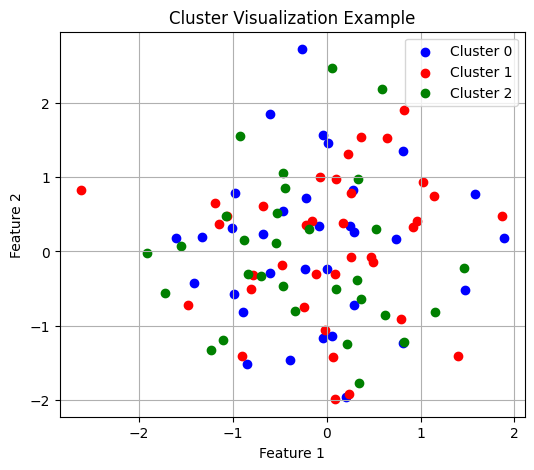
Cluster Assignment Visualization
When visualizing clustering results, using distinct colors helps identify group boundaries:
Confusion Matrix Interpretation
Confusion matrices help evaluate clustering quality but require careful interpretation since cluster indices may not match true class labels:
Confusion Matrix (rows: true labels, columns: predicted clusters):
   0  1  2
A  3  0  0
B  0  2  1
C  0  1  2
Gaussian Mixture Models and EM
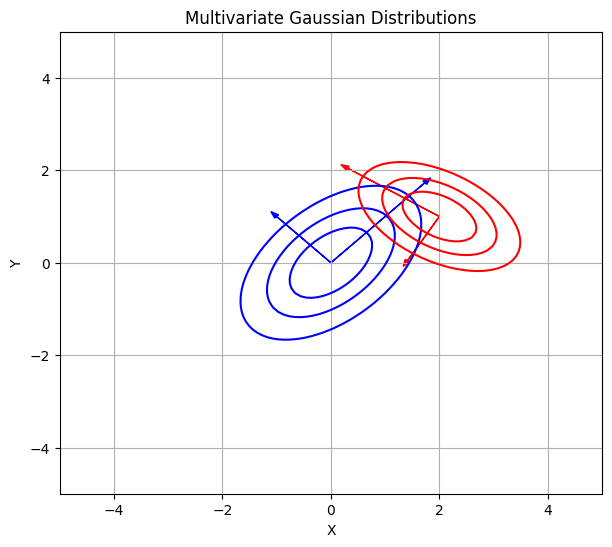
Understanding the Multivariate Gaussian
The multivariate Gaussian probability density function forms the foundation of GMM:
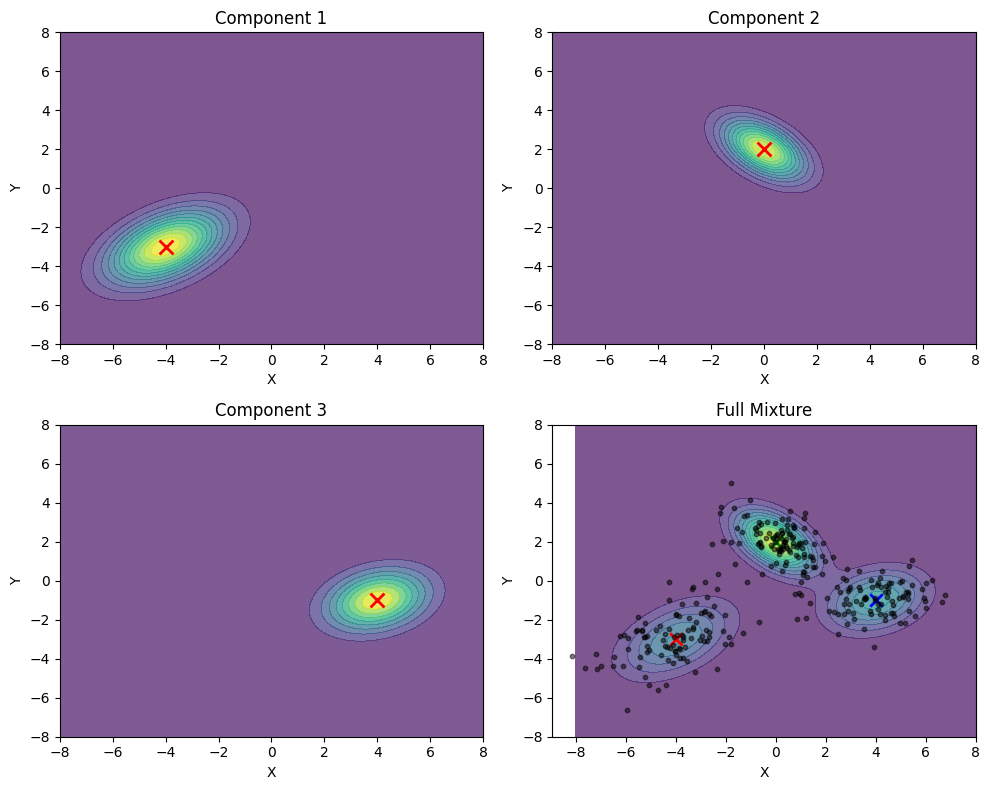
Mixture Models: “Patching the Bumps”
Gaussian Mixture Models combine multiple Gaussian components to represent complex data distributions:
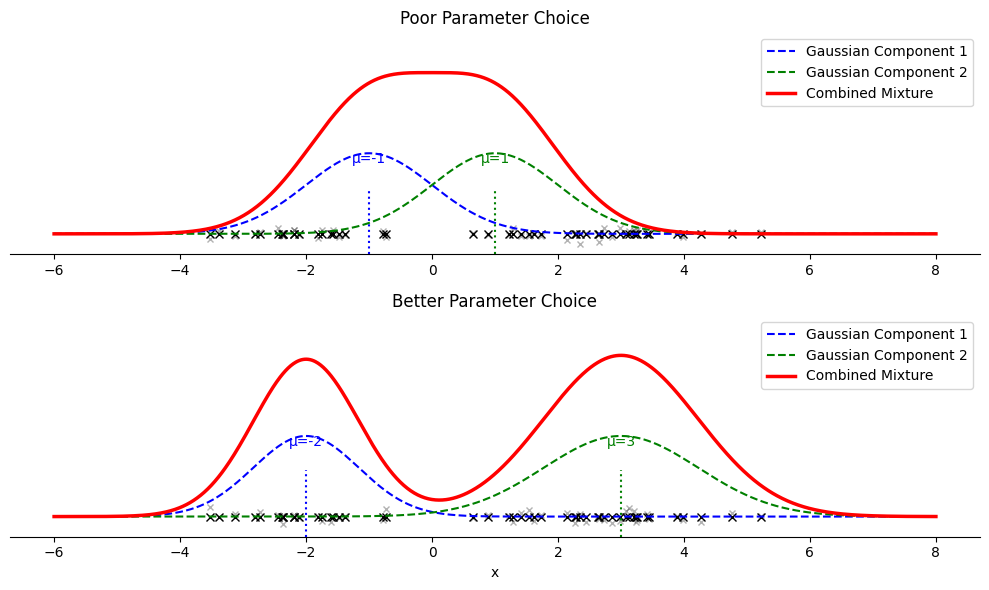
1D Model Fitting Examples
Visualizing how GMM fits data on a number line helps understand parameter selection:
Convergence Monitoring
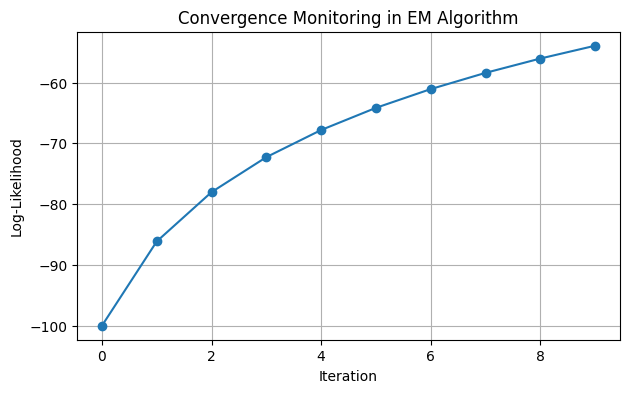
The EM algorithm’s convergence can be monitored through log-likelihood:
One-Hot Initialization from K-Means
K-Means results provide an effective initialization for GMM:
Initial gamma matrix (one-hot encoding of cluster assignments):
[[1. 0. 0.]
 [1. 0. 0.]
 [0. 1. 0.]
 [0. 1. 0.]]
Numerical Stability in Matrix Operations
Covariance matrices in EM may become ill-conditioned:
Original condition number: 19.0
Regularized condition number: 19.0
Working with HDF5 Files
Introduction to HDF5
HDF5 (Hierarchical Data Format version 5) provides an efficient way to store and access structured data. It supports storage of multiple arrays within a single file with fast random access.
Basic File Operations
Understanding HDF5 file structure helps when working with stored data:
Datasets in file: ['binary_array', 'float_array']
Float array description: Random float values
Float array shape: (5, 10)
Binary array shape: (3, 5)
Generating Random Binary Sequences
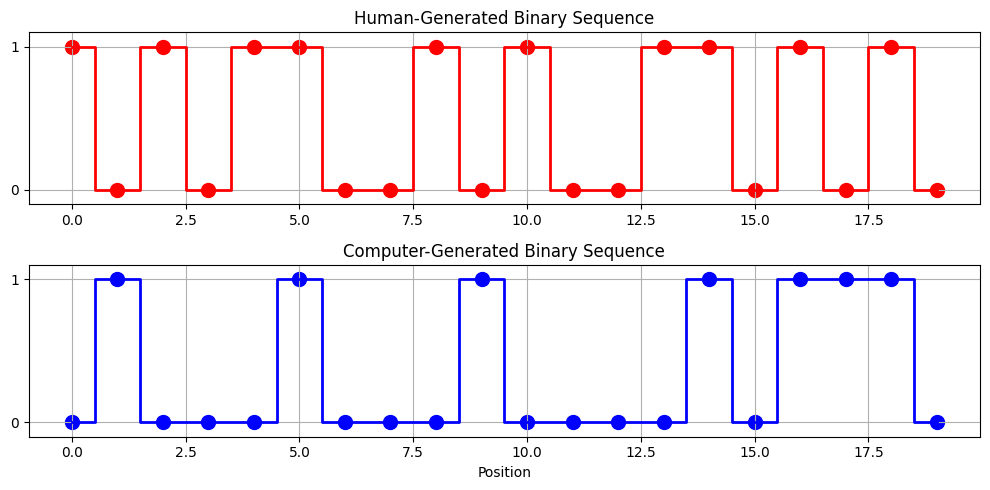
When creating binary sequences manually, patterns often emerge that wouldn’t appear in truly random data:
Human sequence transitions: 15/19
Computer sequence transitions: 10/19
Validating HDF5 File Content
It’s important to verify that HDF5 files contain the expected data:
File structure:
  - Dataset: binary_array, Shape: (3, 5), Type: int64
  - Dataset: float_array, Shape: (5, 10), Type: float64
Contains only binary values (0, 1): True
Array dimensions: (3, 5)
Efficient Data Access
HDF5’s key advantage is efficient access to selected portions of data:
Shape of full dataset: (1000, 50)
Shape of selected rows: (4, 50)
Shape of region: (5, 5)